cover

MySims™

Info, Guide, Walkthrough, Tips, Glitch, News

Rebuild a struggling town and attract quirky citizens in this retro re-release.

Ratings

3.9

Age

9+

Category

Family

Languages

ENG
Dinsun

Dinsun Review

Apple Arcade review

68/100Dinsun Score
A nostalgic trip that shows its age through clunky controls and a dated loop.

Now we're getting into actual games. MySims was always the 'Sims Lite' for a younger crowd, and this port doesn't change that. As a 40-year-old, I appreciate the simplicity of the building mechanics—it's almost meditative. However, the mission structure is incredibly repetitive. 'Build this, talk to him, collect this essence.' It feels like a chore list after a while. The aesthetics are charming in a 2007 sort of way, but the touch controls aren't nearly as precise as a mouse or a stylus. It’s a decent time-waster, but don't expect the depth of a mainline Sims title.

Overall Stats

gameplay6/10
narrative4/10
visuals7/10
audio7/10
performance7/10
fun6/10
mechanics6/10
story4/10
character8/10

Pros

  • Charming art style
  • Creative building
  • Nostalgic value

Cons

  • Repetitive quests
  • Clunky touch navigation
  • Slow progression

Value

Wait for Sale

Playtime

15-20 hours

Who will enjoy it?

Play if:You have fond memories of the Wii version or enjoy Animal Crossing-lite games.

Skip if:You want a complex life simulator with deep social systems.

Similar Games

Animal Crossing: Pocket CampThe Sims FreePlay

Technical Notes

Occasional frame drops in crowded town areas; load times are slightly longer than expected.

Accessibility Features

  • Subtitles
Played on iPhone 15 Pro5 hours playedBuilt first 3 houses
Reviewed by Dinsun on Mon Apr 13 2026
Transform a town with your creativity! MySims™ returns to mobile with updated graphics, improved controls, and the classic building gameplay you love.

Screenshot

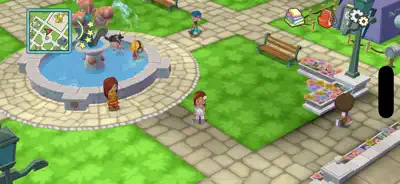
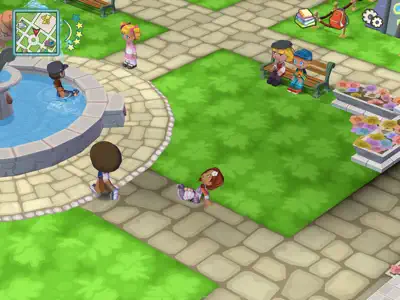
Here are some screenshots of the game.

screenshot 0screenshot 1screenshot 2screenshot 3screenshot 4screenshot 5screenshot 6screenshot 7screenshot 8screenshot 9screenshot 10screenshot 11screenshot 12screenshot 13screenshot 14

Features

Walkthrough

Gathering Essences and Building

The core loop revolves around collecting 'Essences'—themed elements found by shaking trees, mining, or interacting with objects. For example, to build a spooky chair for a Goth Sim, you might need 'Sad' or 'Scary' essences found in the graveyard. In *MySims Kingdom*, you will use the mysterious 'Scroll' given by King Roland to magically construct bridges and repair mechanisms. Don't forget to interact with townies daily to unlock new blueprints and outfit options.

Gameplays

Two Modes, One Adventure

The app allows you to launch either *MySims* or *MySims Kingdom* from the main menu. The first game is a Sandbox-style town builder where you have total freedom to design furniture block-by-block. The sequel, *Kingdom*, is more story-driven, focusing on solving puzzles to progress through themed islands. The Arcade version adds a new 'One-Finger Swipe' camera control, making it easier to view your creations on iPhone and iPad screens.

Questions And Answers

Here are some possible questions and answers that you might find useful

    Questions And Answers

    Here are some possible questions and answers that you might find useful

    1. Q:Is this the same as the Nintendo Switch 'Cozy Bundle'?

      A:Yes, this Apple Arcade release contains the exact same content as the 'MySims: Cozy Bundle' released on Nintendo Switch, but optimized for touch interfaces and included with your subscription.

    Related News!

    Here are some related news of the game.

    Related Youtube Videos!

    Here are some youtube videos of the game.