







cover

Spider Solitaire: MobilityWare+

Info, Guide, Walkthrough, Tips, Glitch, News

YouTube PlayList

Ratings

4.3

Age

4+

Category

Family

Languages

ENG

Questions And Answers

Here are some possible questions and answers that you might find useful

    Disney Colouring World+ YouTube Playlist

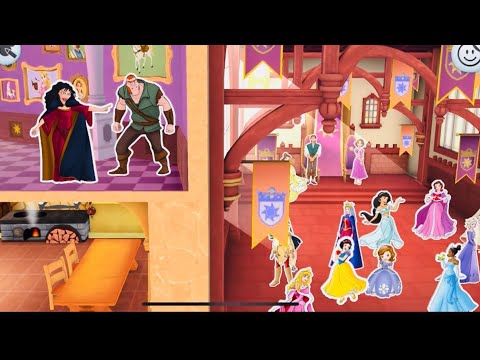
    Disney Colouring World+ is a kids' creative app from StoryToys Limited, available on Apple Arcade with no ads and no in-app purchases. Players colour over 2,000 pages featuring Disney, Pixar, Marvel and Star Wars characters, using brushes, crayons, glitter, patterns, stamps and a Magic Colour tool. They can also dress up characters and decorate locations like Arendelle Castle, then play with their creations in interactive 3D playsets. It is rated 4+, works offline, and gets regular content updates. If you like this game, please consider subscribing to the channel and checking out the other videos for more content on this game and similar games. Your support helps us create more walkthroughs and gaming content. Thanks for watching!

    Games you may also like

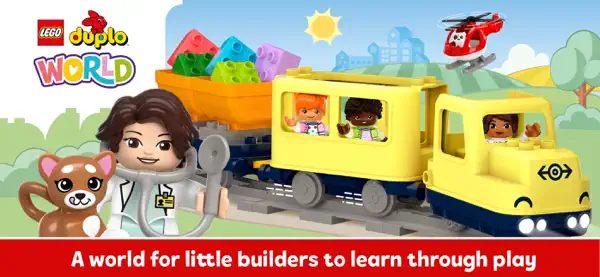
    LEGO® DUPLO® World+
    58/100

    LEGO® DUPLO® World+

    5 highlights

    Dinsun Review

    58/100

    Another one for the parents. It's well-made, I'll give it that. The physics of the bricks feel right, and the activities are tailored perfectly for their intended age group. It’s better than the Disney one because there’s at least some 'building' involved, but it's still just a digital toy. Not for 'gamers' in any traditional sense.

    Pros & Cons Info
    Pros

    High production value

    Creative focus

    Ad-free

    Cons

    Extremely limited scope

    Zero difficulty

    Short attention span

    Game Highlights
    • Nearly 100% winnable deals
    • Progressive Daily Challenges
    • Smart hints and 'Show Me How to Win' feature
    Explore game
    Farming Simulator 20+
    62/100

    Farming Simulator 20+

    4 highlights

    Dinsun Review

    62/100

    Dinsun here. I’ve never understood the 'zen' of farming in games, but I appreciate the hardware. Giants Software knows their tractors. The simulation is accurate—maybe too accurate for its own good. It feels like a chore. Drive here, drop this, come back. If you’re a 12-year-old obsessed with John Deere, this is your heaven. For me, it’s a slow-paced job I’m not getting paid for. It runs fine, but it’s as exciting as watching corn grow—literally.

    Pros & Cons Info
    Pros

    Incredible vehicle detail

    Accurate agricultural cycles

    No-nonsense simulation

    Cons

    Extremely slow pace

    Bland environment design

    High barrier to entry for non-enthusiasts

    Game Highlights
    • Incredibly satisfying destruction physics
    • Deep upgrade system for your crusher
    • Wide variety of structures to destroy
    Explore game
    MySims™
    68/100

    MySims™

    5 highlights

    Dinsun Review

    68/100

    Now we're getting into actual games. MySims was always the 'Sims Lite' for a younger crowd, and this port doesn't change that. As a 40-year-old, I appreciate the simplicity of the building mechanics—it's almost meditative. However, the mission structure is incredibly repetitive. 'Build this, talk to him, collect this essence.' It feels like a chore list after a while. The aesthetics are charming in a 2007 sort of way, but the touch controls aren't nearly as precise as a mouse or a stylus. It’s a decent time-waster, but don't expect the depth of a mainline Sims title.

    Pros & Cons Info
    Pros

    Charming art style

    Creative building

    Nostalgic value

    Cons

    Repetitive quests

    Clunky touch navigation

    Slow progression

    Game Highlights
    • Updated Graphics: Classic MySims style enhanced for modern displays.
    • Complete Creative Control: Design homes and furniture from the ground up.
    • Iconic Characters: Meet and help classic Sims like DJ Candy and Buddy.
    Explore game
    Crossy Road Castle
    68/100

    Crossy Road Castle

    5 highlights

    Dinsun Review

    68/100

    Look, I get it. It’s bright, it’s poppy, and the kids love it. Crossy Road Castle is a perfectly functional arcade platformer. The controls are tight—which is a rarity for touch-based platformers—and the variety in character unlocks is impressive. In a group setting, the chaos is genuinely amusing for about twenty minutes. It’s the kind of game you pull out during a lunch break or when you’re waiting for a train. But as a 'serious' gamer? There’s not much meat on the bones here. The procedural generation means level design is often repetitive and lacks the intentionality of a true platforming classic. It’s 'fun,' in that sugary, high-fructose way that leaves you feeling a bit empty after an hour. I respect the polish, but don't expect a profound experience. It’s an endless runner in platformer clothing. Good for what it is, but let's not pretend it's a masterpiece.

    Pros & Cons Info
    Pros

    Excellent local and online multiplayer

    Simple, responsive controls

    Tons of unlockable content

    Cons

    Repetitive level segments

    Lack of long-term mechanical depth

    Can feel chaotic to a fault with four players

    Game Highlights
    • 170+ unique monsters to collect and evolve
    • Challenging Match-3 tactical combat
    • Expansive story campaign through the Underworld
    Explore game
    SUMI SUMI : Matching Puzzle+
    58/100

    SUMI SUMI : Matching Puzzle+

    4 highlights

    Dinsun Review

    58/100

    Dinsun here. If you like Rilakkuma, you’ll like this. If you want a deep puzzle game, look elsewhere. It’s the same matching mechanic we’ve seen since Bejeweled. It’s well-made for what it is, but it’s completely unoriginal.

    Pros & Cons Info
    Pros

    Extremely cute

    Polished presentation

    Cons

    Derivative gameplay

    Luck-based difficulty spikes

    Game Highlights
    • No ads or in-app purchases
    • Features Rilakkuma, Sumikko Gurashi, and more
    • Over 1,000 unique puzzle stages
    Explore game
    Sesame Street Games Club+
    60/100

    Sesame Street Games Club+

    4 highlights

    Dinsun Review

    60/100

    Dinsun here. I’m clearly not the target demographic, but I can recognize a decent piece of software when I see it. Mecha Builders is polished, colorful, and surprisingly educational. It stays true to the Sesame Street brand, which means it’s safe for kids but will drive any adult in the room crazy within twenty minutes of hearing the same repetitive voice lines. From a gaming perspective, the 'challenges' are non-existent, but for a four-year-old, it’s probably revolutionary. It teaches basic logic—put the round peg in the round hole—without the predatory microtransactions found in other kids' apps. It’s an honest product, even if it feels more like a digital Saturday morning cartoon than an interactive experience. I can’t score it high because there’s no mechanical depth, but as a parent’s tool, it’s adequate.

    Pros & Cons Info
    Pros

    Strong educational STEM focus

    High-quality voice acting from the show

    No predatory in-app purchases

    Cons

    EXTREMELY repetitive for adults

    Very limited gameplay variety

    Frequent 'hand-holding' prevents actual problem solving

    Game Highlights
    • No ads or in-app purchases
    • Dozens of mini-games and activities
    • Features the full Sesame Street cast
    Explore game
    MySims™ Kingdom
    71/100

    MySims™ Kingdom

    5 highlights

    Dinsun Review

    71/100

    This is a bit better. Kingdom actually gives you a reason to build things beyond just filling a town. The puzzle elements involving gears and electricity add a layer of mechanical satisfaction that the first game lacked. Still, it’s clearly built for a younger audience, so don't expect 'The Witness' level of difficulty. The port is serviceable, though managing complex builds on a small screen is a nightmare. It’s a solid adventure game, but the 'Sims' branding feels more like a skin than a core philosophy here. I appreciate the effort, even if I'm not the primary target.

    Pros & Cons Info
    Pros

    Interesting puzzle mechanics

    Varied island themes

    Better objective structure

    Cons

    Frustrating camera controls

    Touch-screen building is fiddly

    Simple AI

    Game Highlights
    • Epic Storyline: Help King Roland save his kingdom from ruin.
    • Vast Exploration: Discover varied lands with unique themes.
    • Advanced Building: Create complex contraptions to solve quests.
    Explore game
    Thomas & Friends™: Let's Roll+
    45/100

    Thomas & Friends™: Let's Roll+

    4 highlights

    Dinsun Review

    45/100

    Dinsun here. It's Thomas the Tank Engine. It's meant for kids who still think trains have faces. As a 'game,' it’s barely functional—you press a button and the train moves. There’s no strategy, no risk, and very little reward. The graphics are 'fine' for a mobile app, but they lack the tactile charm of the original wooden toys or even the CGI show. It’s clearly a licensed cash-grab aimed at parents who need ten minutes of peace. It's not offensive, just incredibly boring.

    Pros & Cons Info
    Pros

    Recognizable characters for kids

    Very easy controls

    Safe environment

    Cons

    Zero gameplay depth

    Visually underwhelming

    Repetitive tasks

    Game Highlights
    • Inclusive design with neurodivergent characters (Bruno)
    • Free-form Track Builder mode
    • No ads or in-app purchases
    Explore game